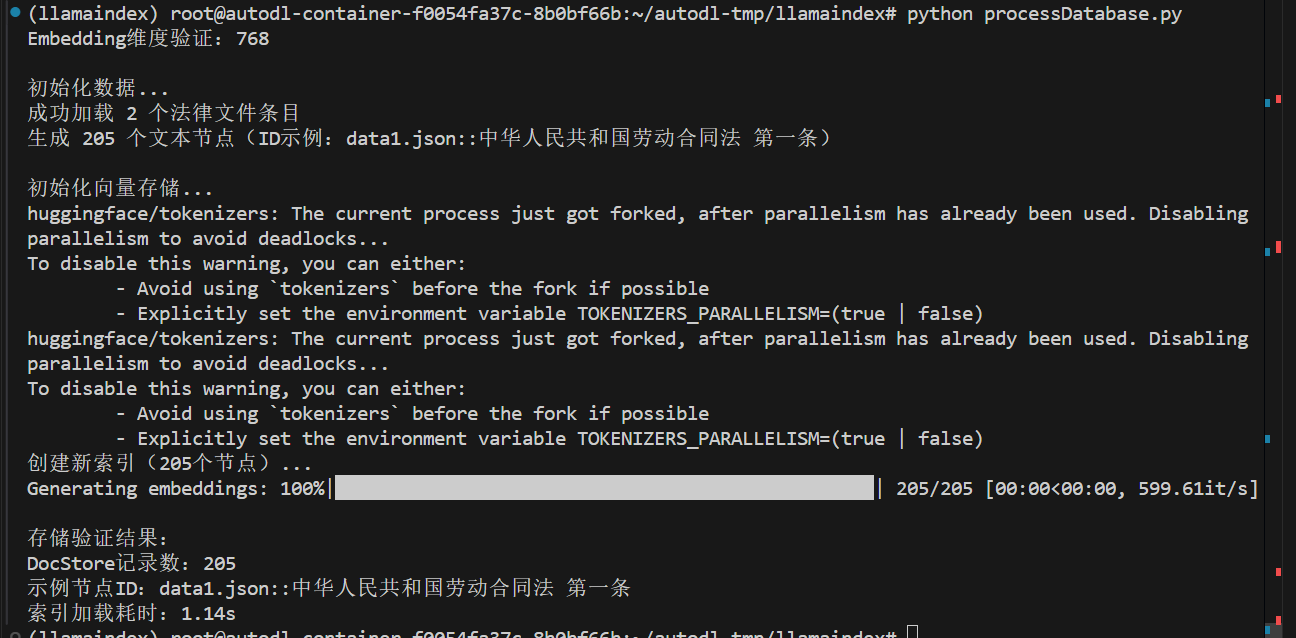
1
2
3
4
5
6
7
8
9
10
11
12
13
14
15
16
17
18
19
20
21
22
23
24
25
26
27
28
29
30
31
32
33
34
35
36
37
38
39
40
41
42
43
44
45
46
47
48
49
50
51
52
53
54
55
56
57
58
59
60
61
62
63
64
65
66
67
68
69
70
71
72
73
74
75
76
77
78
79
80
81
82
83
84
85
86
87
88
89
90
91
92
93
94
95
96
97
98
99
100
101
102
103
104
105
106
107
108
109
110
111
112
113
114
115
116
117
118
119
120
121
122
123
124
125
126
127
128
129
130
131
132
133
134
135
136
137
138
139
140
141
142
143
144
145
146
147
148
149
150
151
152
153
154
155
156
157
158
159
160
161
162
163
164
165
166
167
168
169
170
171
172
173
174
175
176
177
178
179
180
181
182
183
184
185
186
187
188
189
190
191
|
import json
import time
from pathlib import Path
from typing import List, Dict
import chromadb
from llama_index.core import VectorStoreIndex, StorageContext, Settings
from llama_index.core.schema import TextNode
from llama_index.llms.huggingface import HuggingFaceLLM
from llama_index.embeddings.huggingface import HuggingFaceEmbedding
from llama_index.vector_stores.chroma import ChromaVectorStore
class Config:
EMBED_MODEL_PATH = r"/home/cw/llms/embedding_model/sungw111/text2vec-base-chinese-sentence"
LLM_MODEL_PATH = r"/home/cw/llms/Qwen/Qwen1___5-1___8B-Chat"
DATA_DIR = "/home/cw/projects/demo_22/data"
VECTOR_DB_DIR = "/home/cw/projects/demo_22/chroma_db"
PERSIST_DIR = "/home/cw/projects/demo_22/storage"
COLLECTION_NAME = "chinese_labor_laws"
TOP_K = 3
def init_models():
"""初始化模型并验证"""
embed_model = HuggingFaceEmbedding(
model_name=Config.EMBED_MODEL_PATH,
)
Settings.embed_model = embed_model
test_embedding = embed_model.get_text_embedding("测试文本")
print(f"Embedding维度验证:{len(test_embedding)}")
return embed_model
def load_and_validate_json_files(data_dir: str) -> List[Dict]:
"""加载并验证JSON法律文件"""
json_files = list(Path(data_dir).glob("*.json"))
assert json_files, f"未找到JSON文件于 {data_dir}"
all_data = []
for json_file in json_files:
with open(json_file, 'r', encoding='utf-8') as f:
try:
data = json.load(f)
if not isinstance(data, list):
raise ValueError(f"文件 {json_file.name} 根元素应为列表")
for item in data:
if not isinstance(item, dict):
raise ValueError(f"文件 {json_file.name} 包含非字典元素")
for k, v in item.items():
if not isinstance(v, str):
raise ValueError(f"文件 {json_file.name} 中键 '{k}' 的值不是字符串")
all_data.extend({
"content": item,
"metadata": {"source": json_file.name}
} for item in data)
except Exception as e:
raise RuntimeError(f"加载文件 {json_file} 失败: {str(e)}")
print(f"成功加载 {len(all_data)} 个法律文件条目")
return all_data
def create_nodes(raw_data: List[Dict]) -> List[TextNode]:
"""添加ID稳定性保障"""
nodes = []
for entry in raw_data:
law_dict = entry["content"]
source_file = entry["metadata"]["source"]
for full_title, content in law_dict.items():
node_id = f"{source_file}::{full_title}"
parts = full_title.split(" ", 1)
law_name = parts[0] if len(parts) > 0 else "未知法律"
article = parts[1] if len(parts) > 1 else "未知条款"
node = TextNode(
text=content,
id_=node_id,
metadata={
"law_name": law_name,
"article": article,
"full_title": full_title,
"source_file": source_file,
"content_type": "legal_article"
}
)
nodes.append(node)
print(f"生成 {len(nodes)} 个文本节点(ID示例:{nodes[0].id_})")
return nodes
def init_vector_store(nodes: List[TextNode]) -> VectorStoreIndex:
chroma_client = chromadb.PersistentClient(path=Config.VECTOR_DB_DIR)
chroma_collection = chroma_client.get_or_create_collection(
name=Config.COLLECTION_NAME,
metadata={"hnsw:space": "cosine"}
)
storage_context = StorageContext.from_defaults(
vector_store=ChromaVectorStore(chroma_collection=chroma_collection)
)
if chroma_collection.count() == 0 and nodes is not None:
print(f"创建新索引({len(nodes)}个节点)...")
storage_context.docstore.add_documents(nodes)
index = VectorStoreIndex(
nodes,
storage_context=storage_context,
show_progress=True
)
storage_context.persist(persist_dir=Config.PERSIST_DIR)
index.storage_context.persist(persist_dir=Config.PERSIST_DIR)
else:
print("加载已有索引...")
storage_context = StorageContext.from_defaults(
persist_dir=Config.PERSIST_DIR,
vector_store=ChromaVectorStore(chroma_collection=chroma_collection)
)
index = VectorStoreIndex.from_vector_store(
storage_context.vector_store,
storage_context=storage_context,
embed_model=Settings.embed_model
)
print("\n存储验证结果:")
doc_count = len(storage_context.docstore.docs)
print(f"DocStore记录数:{doc_count}")
if doc_count > 0:
sample_key = next(iter(storage_context.docstore.docs.keys()))
print(f"示例节点ID:{sample_key}")
else:
print("警告:文档存储为空,请检查节点添加逻辑!")
return index
def main():
embed_model = init_models()
if not Path(Config.VECTOR_DB_DIR).exists():
print("\n初始化数据...")
raw_data = load_and_validate_json_files(Config.DATA_DIR)
nodes = create_nodes(raw_data)
else:
nodes = None
print("\n初始化向量存储...")
start_time = time.time()
index = init_vector_store(nodes)
print(f"索引加载耗时:{time.time()-start_time:.2f}s")
if __name__ == "__main__":
main()
|